
Everything it takes to pay providers right
Track 2 Pay turns raw billing data into accurate, auditable provider payouts. Here's the whole system — from the moment a spreadsheet lands to the moment a provider sees exactly what they're owed.
Data import
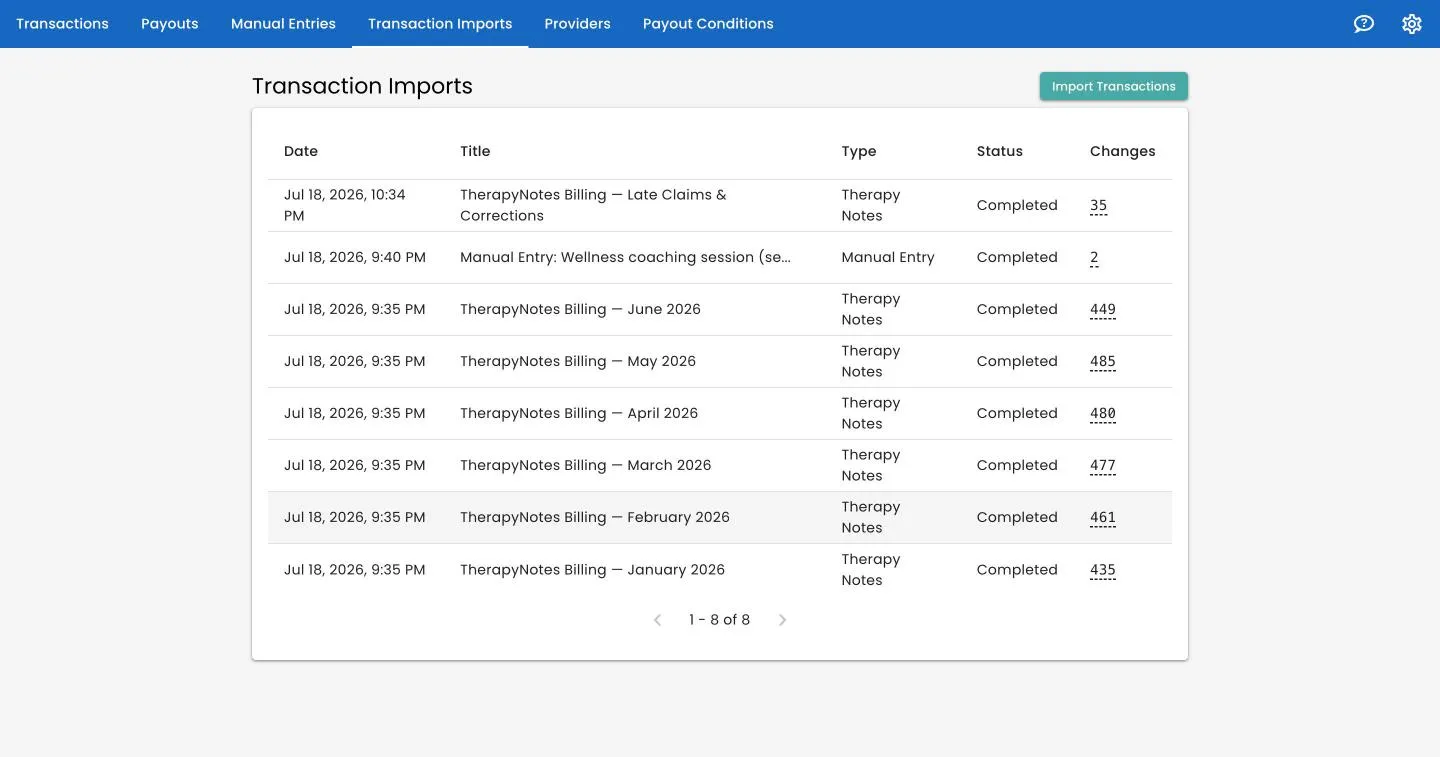
Native TherapyNotes, or any spreadsheet
Track 2 Pay reads the TherapyNotes billing export natively — clinician, patient, service code, insurer, dates, and amounts. Not on TherapyNotes? Map any XLSX spreadsheet, including your own custom columns. Drop a file anywhere on the page and it imports in the background.
- Native TherapyNotes support and a generic XLSX importer
- Content-based fingerprinting updates records instead of duplicating
- Timezone-aware imports with a live progress bar and New vs. Updated summary
The ledger
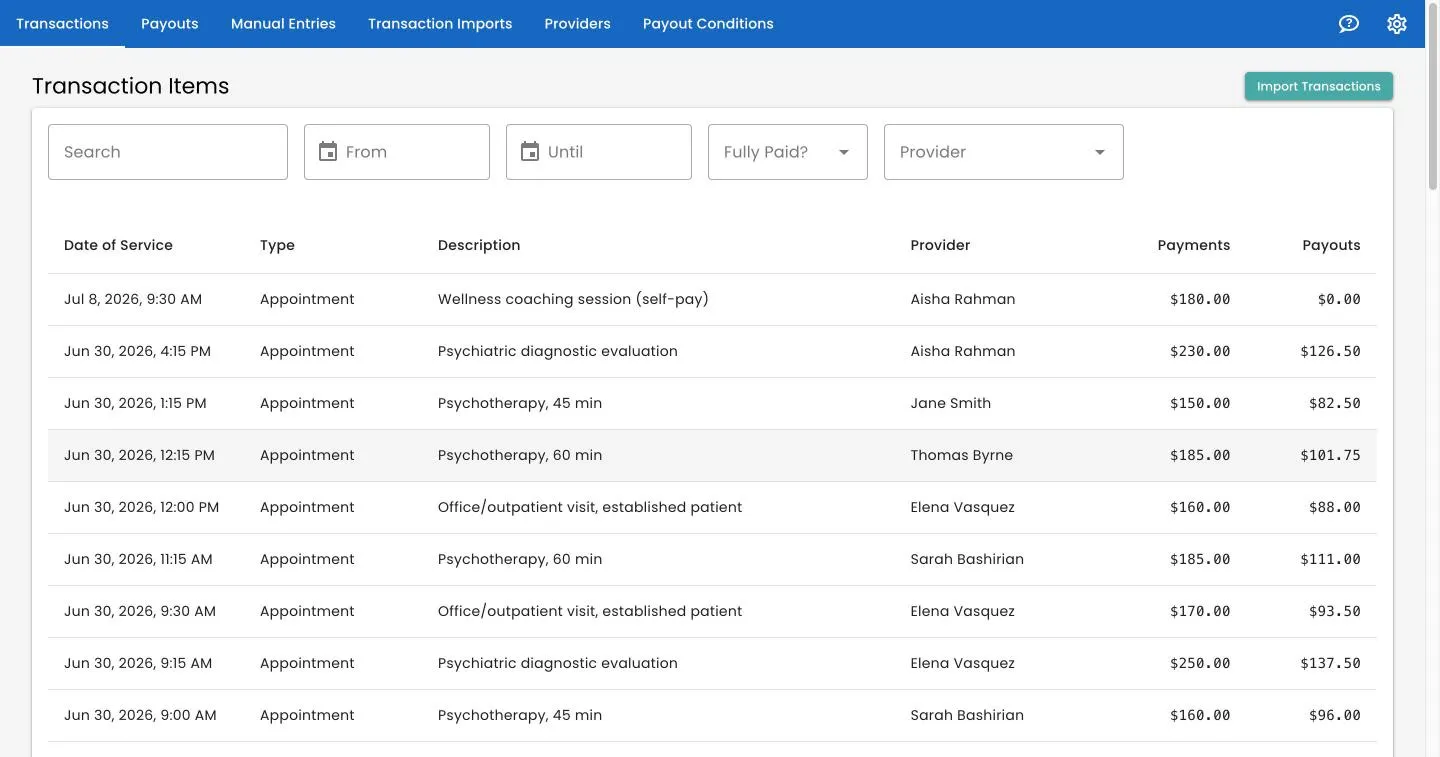
One source of truth for every transaction
Every appointment, session, or charge becomes a transaction item — with its provider, date, type, and custom metadata like patient name, service code, and insurer. A single visit can carry separate payment lines for the patient portion and the insurance portion, each paid out on its own terms.
- TherapyNotes, spreadsheet, and manual entries in one unified ledger
- Separate patient and insurance payment lines per transaction
- Void a paid transaction with an offsetting adjustment — history stays intact
Manual entries
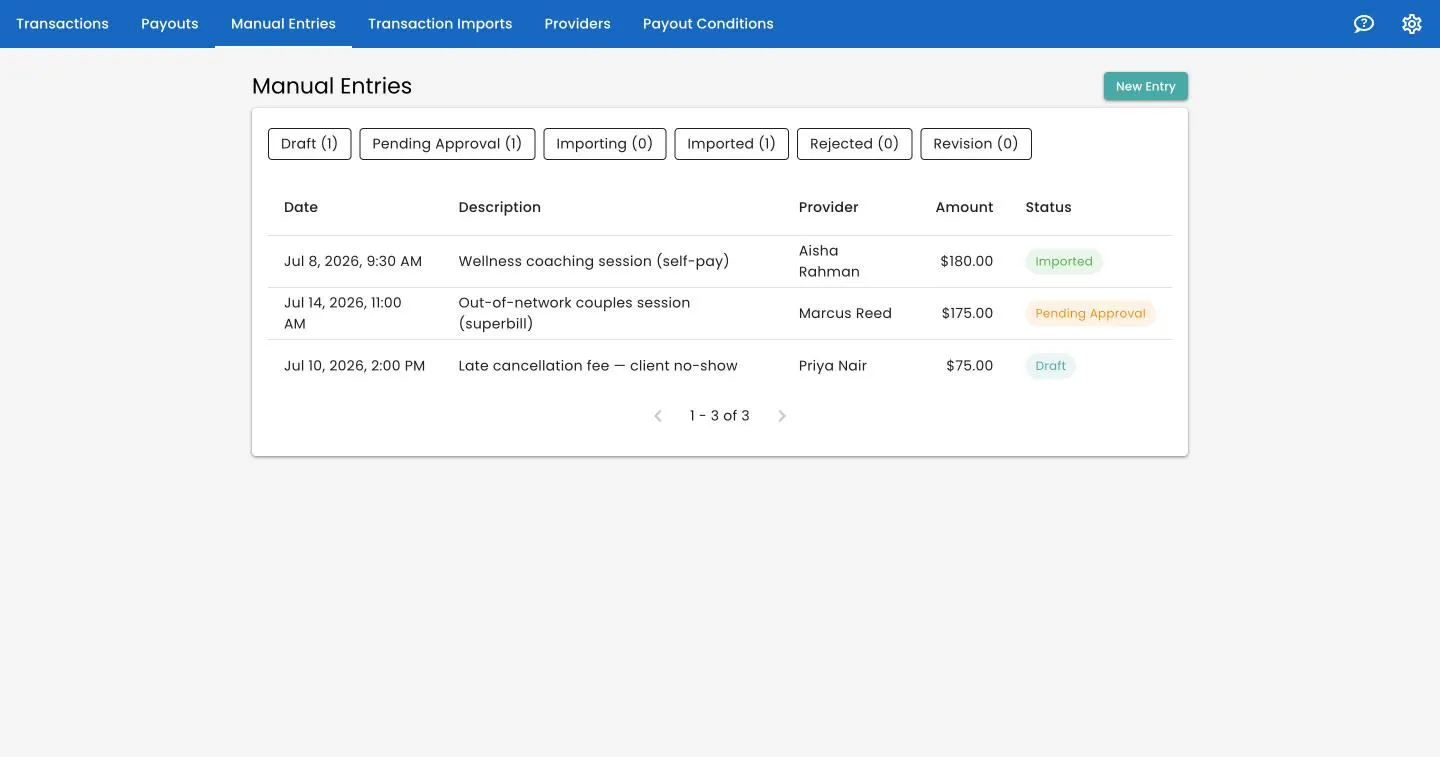
Hand-key what isn't in a spreadsheet
Add one-off charges, corrections, or off-system work — and route them through a real maker–checker approval workflow. Entries move from Draft to Submitted to Approved, with approvals restricted to Owners and Editors, and only reach the live ledger once approved.
- Draft → Submit for Approval → Approve or Reject
- Rejections come back with a written reason
- Revise and resubmit — nothing gets lost, every decision is accountable
Payout rules engine
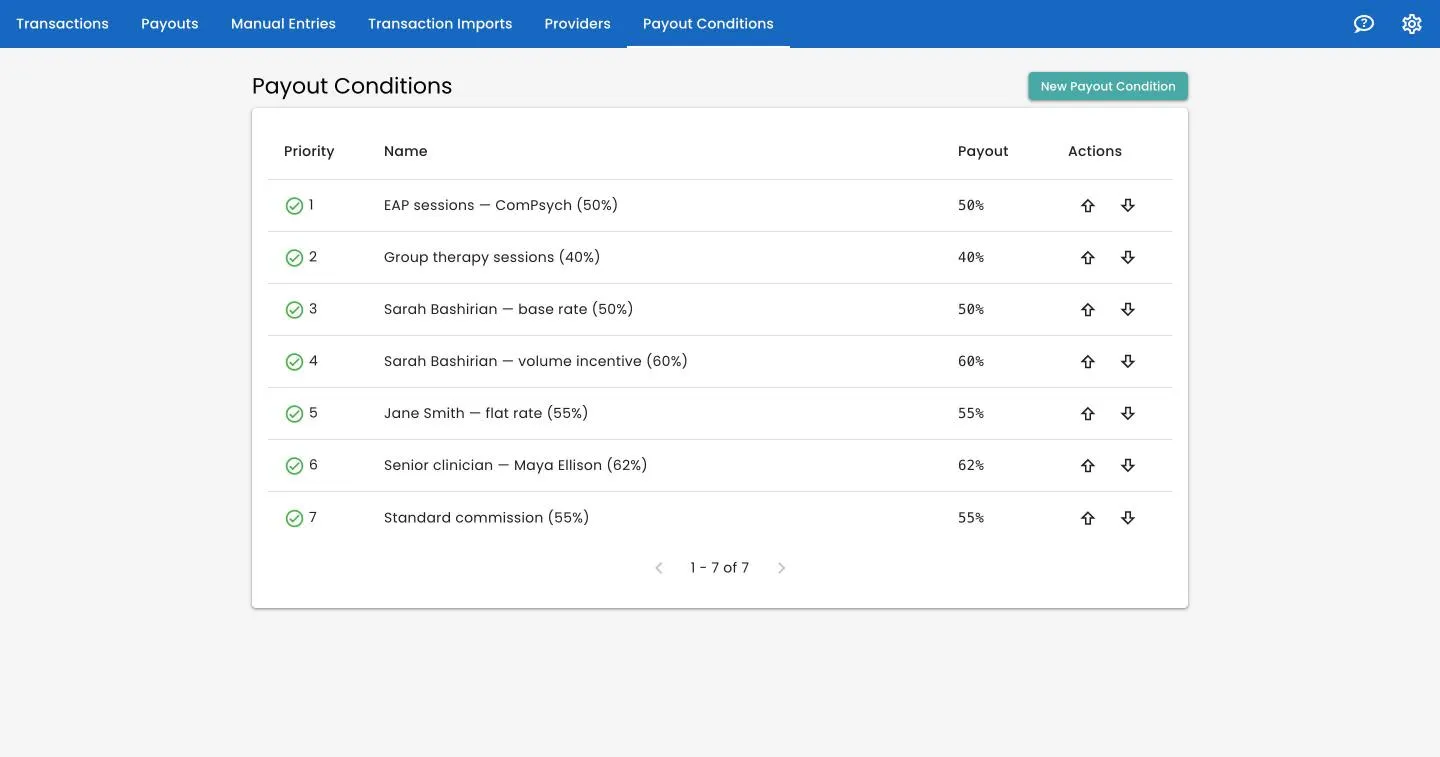
Define how people get paid, once
Each payout condition has a matcher and a percentage. Target transactions by provider, service type, a custom field, or transaction volume — and combine criteria. Rules run in a priority order you control, first-match-wins, so specific rules layer cleanly over a general catch-all.
- Match by provider, type, metadata, or volume threshold
- Prioritized, first-match-wins ordering you reorder in a click
- Version-audited — a rule used in a finalized batch can't be deleted from under history
Payout batches
Run, review, and finalize a pay period
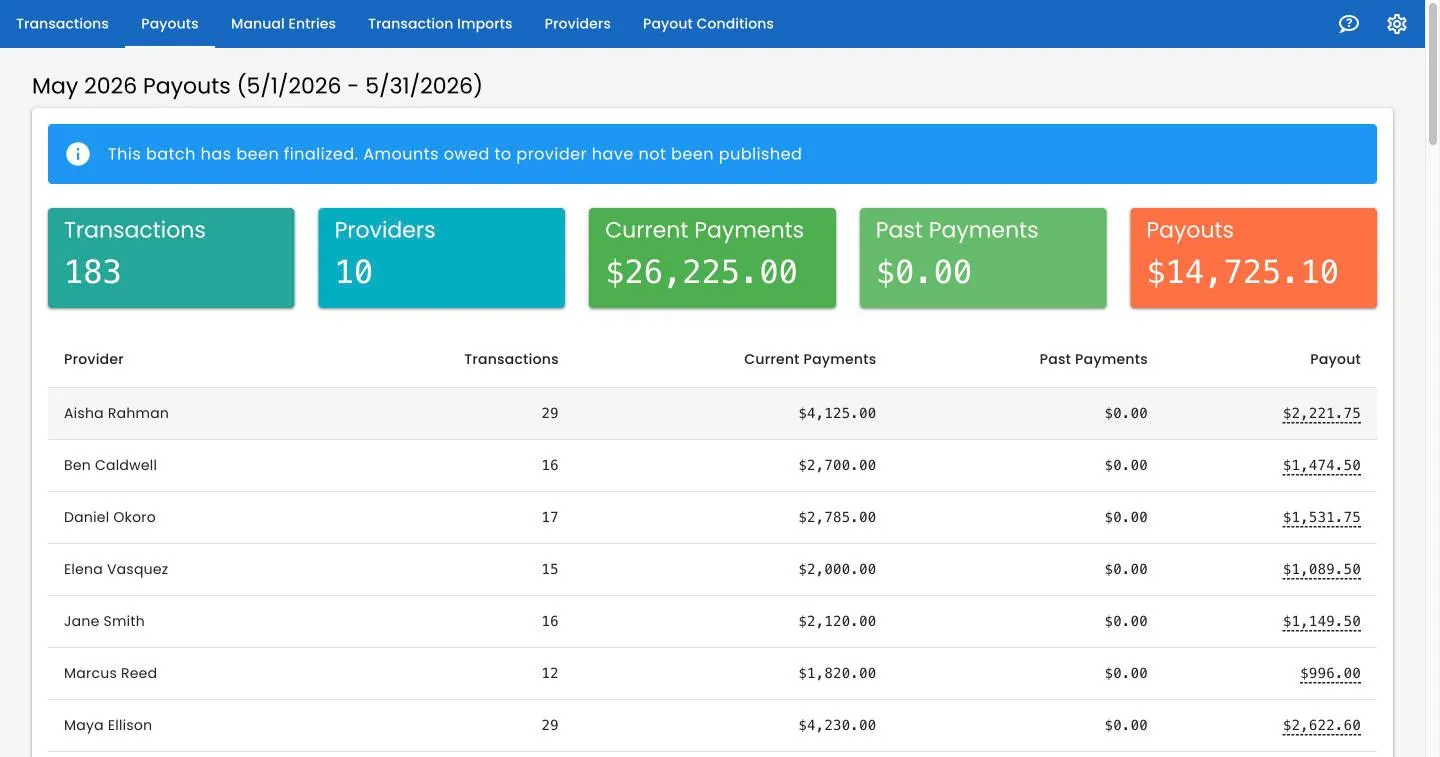
Create a batch for a service-date range and Track 2 Pay pulls in every eligible transaction and calculates what each provider is owed. Batches start as an editable draft you can re-run or delete, with headline totals and a per-provider breakdown. Finalizing is a deliberate two-step lock — then optionally publish so providers see their number.
- Per-provider breakdown — click an amount to copy it to your clipboard
- Catch-up “past payments” pay trailing money at the originally-applied rate
- Each line snapshots the rule and rate used, so results stay defensible
Data integrity
Never double-pay a provider again
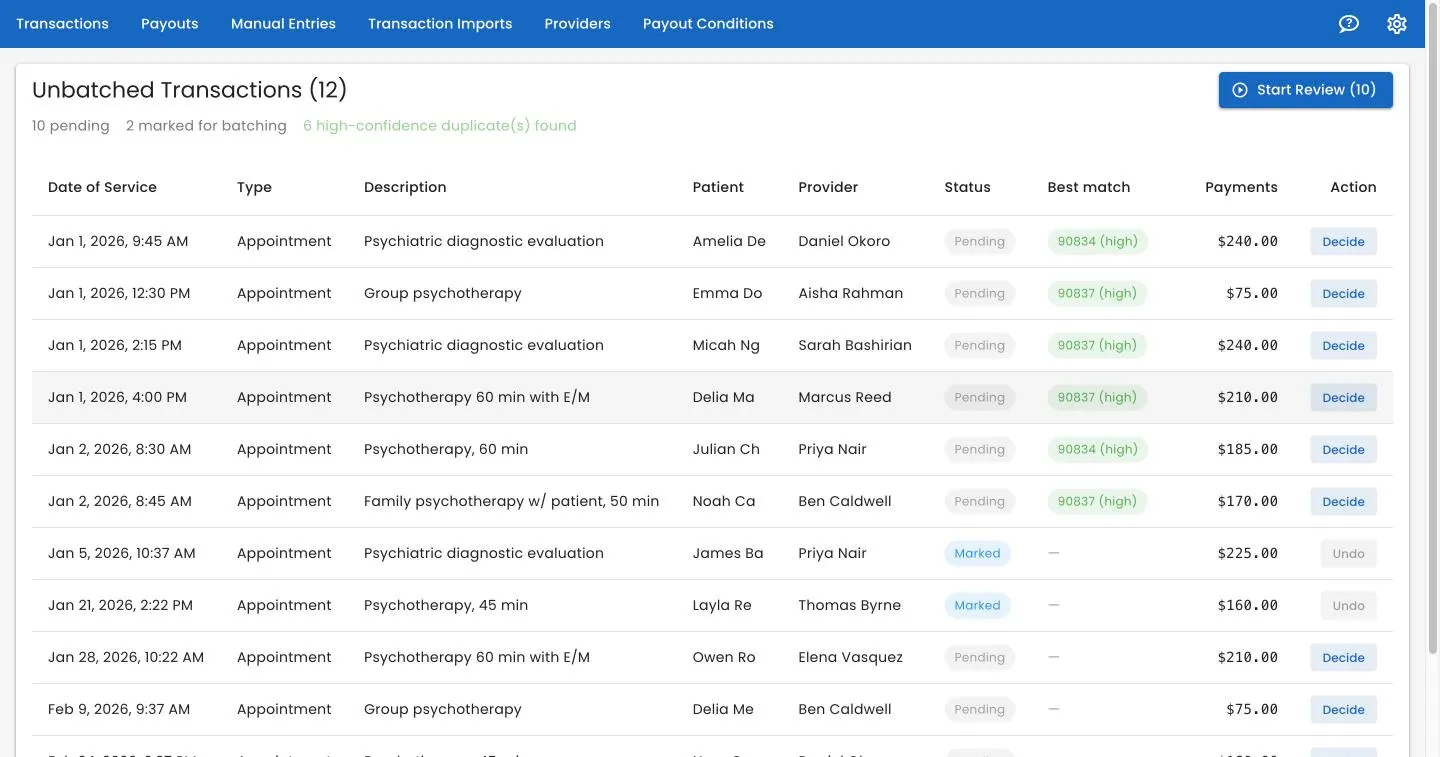
Track 2 Pay continuously flags transactions that fell through the cracks — especially unbatched items dated inside an already-paid period. Each is scored high, medium, or low confidence against its most likely original, with the exact differing field highlighted, so you catch genuine duplicates without merging weak matches.
- Confidence-scored duplicate suggestions with the changed field shown
- A focused review wizard with D / B / S hotkeys and progress tracking
- One-click auto-fix for obviously-safe matches — every decision logged and reversible
Team & access
The right people, the right access
Three clear roles
Owner has full control, Editor runs day-to-day operations and approvals, and Provider gets a limited, read-only view of only what they're owed — once a batch is published.
Multi-account by design
One user can belong to multiple accounts and switch between them — ideal for bookkeepers and billing companies managing several practices.
Secure sign-in & invites
Sign in with Google SSO or email and password, with confirmation, reset, lockout, and remember-me. Owners invite teammates by email with secure, tokenized invites.
Security & compliance
HIPAA compliant, and every dollar auditable
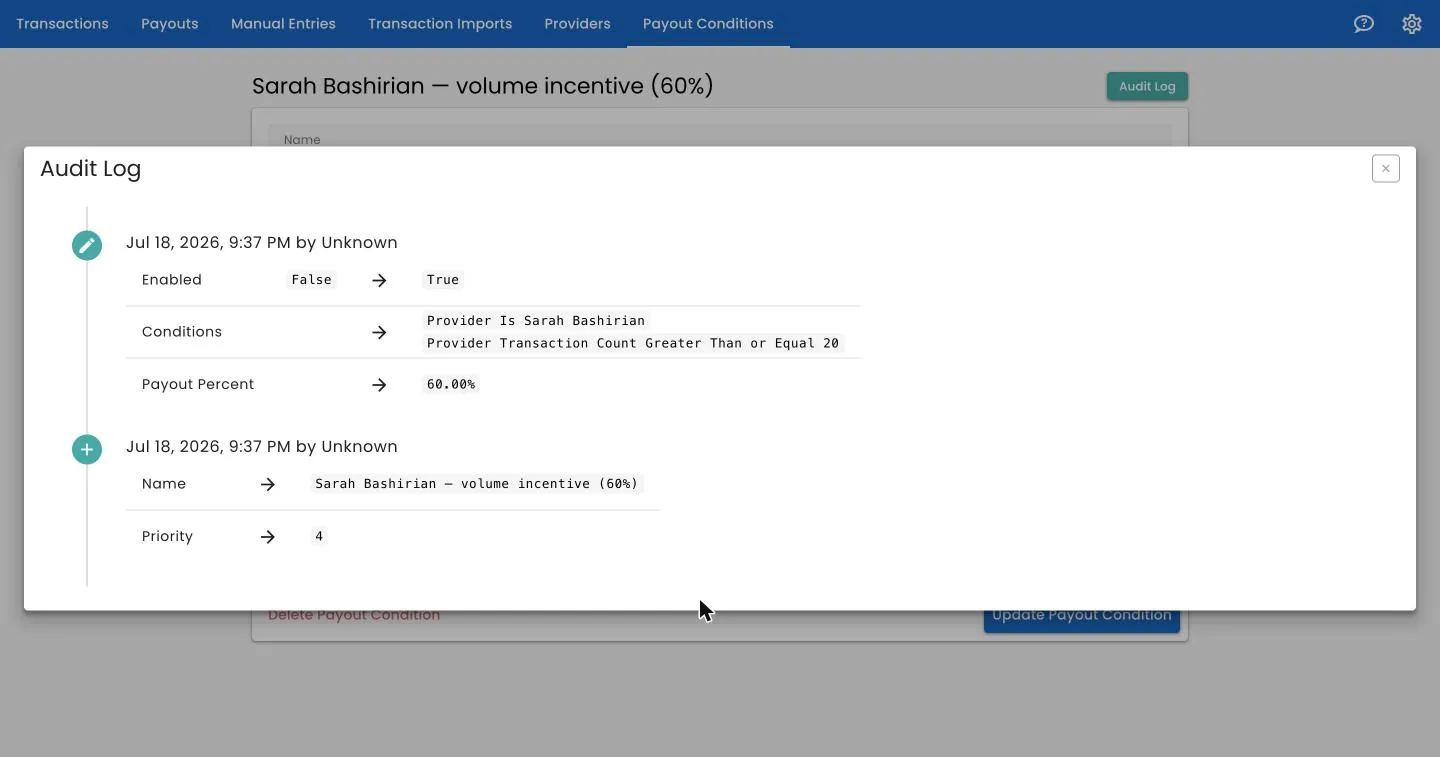
Billing exports carry patient data, so Track 2 Pay is built for it: HIPAA compliant, encrypted in transit and at rest, hosted in the US, and covered by a Business Associate Agreement we sign with every practice. On top of that sits a field-level who-did-what history of accounts, roles, pay rules, and transactions.
- HIPAA compliant, with a BAA available for every account
- Encrypted in transit and at rest, on US-based infrastructure
- Field-level before/after audit trail on rules, roles, and transactions
- Support actions logged transparently — providers see only their own numbers
Retire the payout spreadsheet
Book a demo and we'll set up a free trial for you — no credit card required. We'll load your data, configure your rules, and run a test batch against a period you've already paid.